
A dealership audit trail is a chronological, tamper-resistant record that links who did what, when, where, and why across your deal, service, and accounting systems. If you manage a store and haven’t checked yours lately, do two things this week: confirm that every job card and deal jacket carries a consistent, timestamped ID, and run a 30-minute evidence-capture drill on one recent warranty job.
Auditors and OEM reviewers expect this kind of traceability. It’s the same principle behind NIST’s guidance on audit logs, the logging controls baked into ISO/IEC frameworks, and OEM warranty-chain requirements that trace a claim back to its origin.
Two starting moves:
- Pull five recent deal jackets and check whether every edit has a timestamp, a user ID, and a reason code attached.
- Time yourself pulling one complete warranty job card from complaint to claim submission. If it takes more than a few minutes, your trail has gaps.
Key Takeaways
A defensible dealership audit trail requires consistent IDs, timestamped before/after values, protected storage, and a scheduled review cadence rather than a once-a-year scramble.
| Point | Details |
|---|---|
| Standardize identifiers | Use one consistent ID per deal and job card across your DMS, accounting, and CRM systems. |
| Capture before/after values | Log the original and changed value for every edit to a critical field, not just that a change occurred. |
| Protect storage separately | Store logs where the people who create them can’t alter or delete them later. |
| Review on a risk-based schedule | Check high-risk activity weekly and lower-risk records monthly or quarterly. |
| Consider integrated platforms | Tools like Loturn attach evidence and audit logs to each vehicle record automatically, reducing manual reconstruction work. |
This article is general information, not a substitute for advice from a qualified financial advisor. Consult a qualified financial professional about your own circumstances before acting on anything here.
Table of Contents
- What Counts as a Dealership Audit Trail?
- The 8-Step Dealership Audit Process
- What Fields Belong in Every Audit Trail Entry?
- How Do You Protect and Retain Audit Trail Records?
- When Should You Review Audit Trails, and What Triggers an Audit?
- Common Audit Trail Mistakes and How to Fix Them
- Where Dealership Software Fits Into Audit Readiness
- Sources
- FAQ
What Counts as a Dealership Audit Trail?
Audit trails live at three levels, and dealerships usually only think about one of them. System-level logs track infrastructure events, server activity, and database changes; most owners never touch these directly, but your DMS vendor does. Application-level trails sit inside your DMS, accounting software, CRM, and repair-order system, recording specific business actions like a price override on a deal or a labor-time change on a job card. User-level records capture who did what: which employee approved a discount, who signed off on a parts return, who edited a customer’s trade-in value after the fact.
Application-level trails matter most for day-to-day audit readiness because they usually store the “before” and “after” values reviewers actually want to see, not just the fact that a change happened, according to NIST Special Publication 800-12.
- System-level: server logins, database backups, network changes.
- Application-level: deal jacket field edits, job-card labor adjustments, parts issuance records.
- User-level: approval sign-offs, override authorizations, who accessed a customer file and when.
The 8-Step Dealership Audit Process
A structured audit process turns scattered records into something defensible. Whether you’re running an internal spot check or preparing for an OEM review, the steps stay roughly the same.
- Define scope. Decide what you’re auditing this cycle: F&I disclosures, warranty claims, a specific make/model recall, or general deal jacket compliance.
- Select a sample. Pull a representative set of deals or repair orders, weighted toward higher-risk categories like add-on products or large discounts.
- Pull evidence. Gather deal IDs, job card IDs, timestamps, approval chains, and before/after snapshots for every sampled record.
- Verify on-site. Cross-check physical or digital documents against system records. Do the numbers match what’s in the DMS?
- Reconstruct the timeline. Line up events in order. A missing hour between diagnosis and repair approval is often where problems hide.
- Analyze anomalies. Flag out-of-sequence entries, missing approvals, or edits made after a deal was supposedly closed.
- Assign corrective action. Document who owns the fix, what changes, and by when.
- Close out and retain records. File the audit report and keep supporting evidence per your retention policy.
Common checklist items map directly to these steps: verifying warranty claim chains from complaint through approval, confirming deal jacket fields are complete, and checking that F&I disclosures were signed at the right point in the process, following the framework laid out in AutoSmarts’ warranty audit trail guide. Many dealerships also run quarterly spot checks alongside a full annual review to keep this from becoming a once-a-year scramble.
Pro Tip: Run a fast evidence-capture drill: pick one open job card, snap a timestamped photo of the vehicle’s odometer and damage, attach it to the digital deal jacket, and note the approval code before the tech clocks out. Do this weekly and your audit prep stops being an emergency.

What Fields Belong in Every Audit Trail Entry?
Every logged event needs a specific set of fields to hold up under review. Miss one and the record becomes circumstantial instead of conclusive.
- Timestamp, including time zone (not just a date)
- User ID or employee identifier
- Terminal or source system the action originated from
- Object ID: deal number, job card ID, or VIN
- Action type: create, modify, or delete
- Before and after values for any critical field change
- Reason or approval code
- Attached evidence: photo, signed PDF, or scanned document
Job Card #4471, VIN ending 8823: labor time on line 2 changed from 1.5 hours to 2.3 hours at 2:47 PM EST by tech ID 118, approved by service manager ID 042, reason code “additional diagnostic time required,” photo of updated repair order attached.
That single entry is what separates a defensible warranty claim from a rejected one. Bulk imports and automated integrations need special attention here. If your CRM auto-updates a customer record, the system itself needs an identifiable “actor” in the log, not a blank field where a human name should be.
How Do You Protect and Retain Audit Trail Records?
An audit trail only counts as evidence if nobody involved in the transaction can alter it after the fact. That means storing logs somewhere your own admins can’t edit, separate from the systems that generate them, according to Adaptive GRC’s breakdown of audit trail requirements.
- Use write-once-read-many (WORM) storage or write-protected exports for anything tied to financial or warranty records.
- Apply cryptographic hashes to exported logs so any alteration is detectable.
- Separate who creates records from who has authority to delete or archive them.
- Set a documented retention schedule based on your state’s dealer regulations and OEM warranty terms, and review it annually.
Smaller stores don’t need enterprise infrastructure to do this right. A secure cloud repository with scheduled exports and a routine checksum check covers most of what a reviewer will ask for. Partner resources like Akika Labs’ security guidance are worth a look if you’re building this from scratch.
Pro Tip: Set a recurring calendar reminder to export and hash your logs monthly. It takes ten minutes and it’s the difference between “we have records” and “we can prove these records weren’t touched.”
When Should You Review Audit Trails, and What Triggers an Audit?
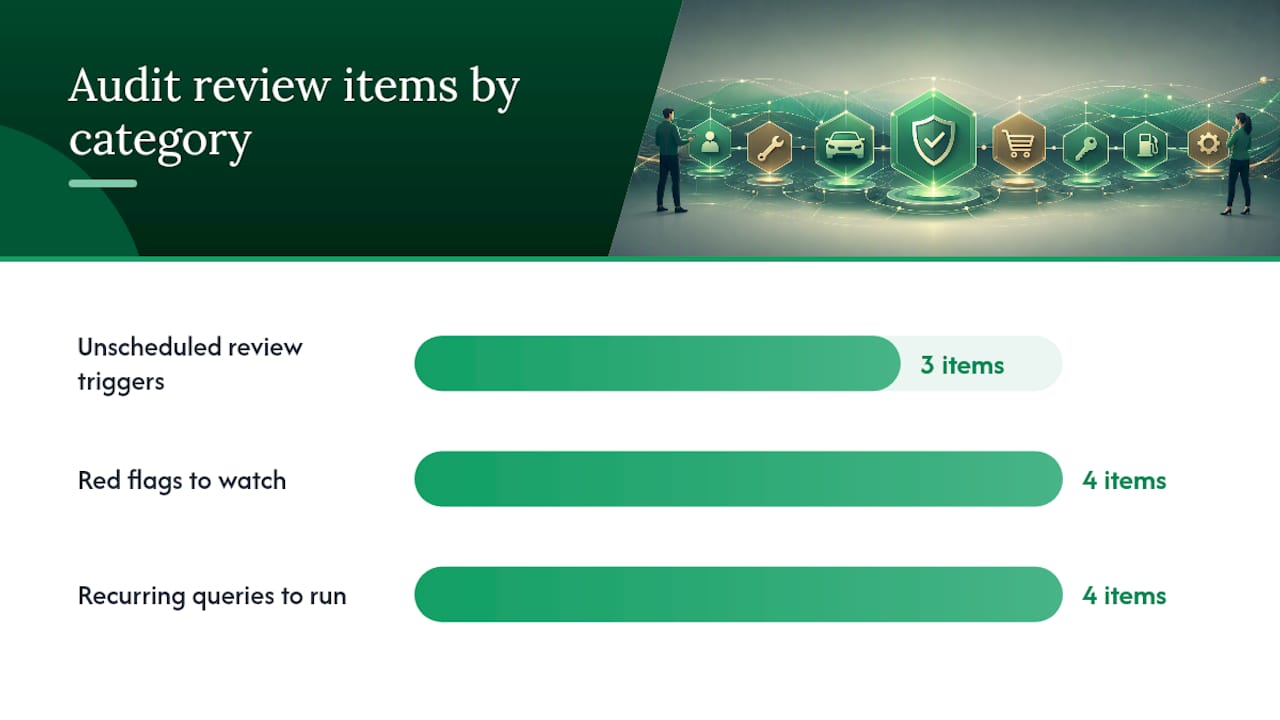
Review cadence should match risk, not calendar convenience. High-risk items like F&I add-on sales or large cash transactions deserve frequent checks; lower-risk categories can wait for less frequent reviews. Always run an unscheduled review after a system change, a spike in chargebacks, or an unexplained drop in logged activity, a pattern recommended in AccountableHQ’s audit trail review guide.
Red flags that tend to catch a reviewer’s eye:
- Missing or inconsistent timestamps between related records
- Records logged out of chronological order
- Edits made after hours or outside normal business activity
- Discrepancies between the job card and the submitted claim
Queries worth running on a recurring basis:
- Activity filtered by user ID, to spot one employee generating unusual volume
- Deal ID lookups showing every edit across the deal’s lifecycle
- Time-window reports isolating after-hours or weekend activity
- Records missing an approval code entirely
When an OEM or regulatory audit actually starts, expect a notification period, a request for a sample of records over a defined window, and a short turnaround to produce them. Dealerships that already run internal reviews rarely find this stressful. Ones that don’t often spend the first few days just locating records instead of analyzing them.
Common Audit Trail Mistakes and How to Fix Them
Most audit trail failures trace back to a handful of preventable issues. Unsynchronized clocks across systems make timeline reconstruction unreliable, fix it with NTP time synchronization on every device. Fragmented systems using different ID formats for the same deal make cross-referencing painful, unify identifiers across your DMS and accounting platform. Logging too much low-value activity buries the events that matter, tune your logging level to focus on financial and compliance-relevant actions. Records that can be silently deleted or overwritten defeat the purpose entirely, enable immutable storage for anything customer-facing or financial. And without a scheduled review, none of this gets caught until an external auditor finds it first, per NIST’s original audit trail bulletin.
A quick 15-minute health check: pull one deal, one job card, and one accounting entry from last week and confirm each has a matching timestamp, user ID, and approval trail.
Where Dealership Software Fits Into Audit Readiness
A platform built around per-car identifiers changes how audit trails get built in the first place, because every cost, edit, and approval already ties back to a single vehicle record instead of scattered spreadsheets. Look for software that links job cards directly to warranty claims, attaches evidence like photos and signed PDFs immutably, logs every accounting edit, and enforces role-based access so not everyone can alter a closed deal.
When evaluating options, check for:
- End-to-end traceability from purchase to sale, not just point-in-time snapshots
- Exportable, immutable logs you can hand to an auditor without manual reformatting
- Integration paths with your existing DMS and accounting setup
- Real onboarding support, since a system nobody uses correctly creates worse records than no system at all
The right fit depends on your dealership’s size and risk exposure, not a one-size answer. A resource like Loturn’s dealer accounting software guide walks through what to weigh before switching platforms.
Practical perspective: audit trail readiness isn’t a fire drill
The dealerships that handle audits well didn’t do anything heroic. They digitized job cards, enforced one ID per deal, and ran small quarterly checks instead of panicking once a year. Treat this as a standing operational habit, not a response to a letter in the mail.
A turnkey way to keep your records audit-ready
Loturn gives every vehicle a single identifier that ties purchase costs, recon expenses, job cards, and deal paperwork together automatically, so the audit trail exists as a byproduct of normal work instead of a separate project.

The platform logs accounting edits, attaches photos and documents to each vehicle’s record, and lets you export immutable evidence when a reviewer asks for it. That means no more digging through three systems to reconstruct one deal’s history. If you’re rebuilding your records from scratch, Loturn also offers free data import to move your existing inventory and deal history over without starting blank. Start a free trial of Loturn’s accounting features and see what your first audit-ready deal jacket looks like within a day.
Sources
- Audit Trails and Logs (NIST bulletin)
- Audit trail in GRC — Adaptive GRC
- Mapping the Warranty Audit Trail From Job Card to Claim — AutoSmarts
- Audit Trail Review: A Step-by-Step Guide with Best Practices and a Compliance Checklist — AccountableHQ
FAQ
What happens when a dealership gets audited?
An auditor typically requests a sample of records over a defined time window, such as closed deals or warranty claims, then checks timestamps, approvals, and before/after values against your systems for consistency.
What does an audit trail check for?
It checks whether every action, an edit, approval, or deletion, can be traced to a specific user, time, and reason, and whether that record has been protected from tampering since it was created.
What is the red flag rule for car dealers?
There’s no single universal “red flag rule” tied to audit trails specifically, but common red flags include missing timestamps, edits made after hours, and mismatches between a job card and the submitted claim.
Can you give me an example of an audit trail?
A typical entry logs a job card labor-time change from 1.5 to 2.3 hours, the technician and manager IDs involved, the timestamp, the reason code, and an attached photo of the updated repair order.
Can software help build a dealership audit trail automatically?
Yes. Platforms like Loturn attach cost and documentation records to each vehicle automatically, which reduces the manual work of assembling a defensible audit trail after the fact.