
For independent used-car dealers, the clearest path to controlling reconditioning expenses is a platform that assigns every cost directly to each vehicle’s ledger before the car hits the lot. Loturn is the top pick here: it ties purchase price, transport, and recon spend to a per-car profit view so you see true gross before you price the unit. If you’re running a larger operation with an existing DMS, a DMS-native recon module may fit better. For high-volume shops that need shop-floor workflow management above all else, a standalone recon app is worth evaluating.
The one-line selection rule: independent dealers under roughly 200 units per month get the most from a finance-first platform like Loturn. Multi-rooftop groups with existing DMS contracts usually do better by extending that system’s recon module, even if it means accepting weaker per-car accounting.
Recon costs are not a fixed expense. Total reconditioning for a mainstream used vehicle commonly runs $650–$2,450. Mechanical, cosmetic, and detail/presentation are the main cost buckets. That range is wide enough to make the difference between a $1,200 gross and a $200 gross on the same car. Tracking it precisely is not optional.
Key Takeaways
Tracking recon costs at the vehicle level, with real-time budget alerts and native accounting integration, is the single most direct way to protect per-car gross on every unit you sell.
| Point | Details |
|---|---|
| Per-car cost assignment is non-negotiable | Every repair, part, and labor charge must post to the vehicle record in real time, not at month-end. |
| Budget alerts at 80% prevent overruns | Set a recon budget at acquisition and trigger a manager review before spend exceeds the threshold. |
| Holding cost compounds fast | At $37–$45 per vehicle per day, cutting 7 days from your recon cycle saves roughly $280 per unit. |
| Auction cars carry hidden time costs | Auction-sourced units take a median 33–39 days to frontline vs. roughly 21 days for customer-sourced cars. |
| Loturn for independents | Loturn assigns purchase, transport, and recon costs to each vehicle ledger so true gross is visible before sale. |
Table of Contents
- How do the main recon cost tracking approaches compare?
- How do you choose recon cost tracking software?
- Which features actually control recon costs?
- What does recon tracking software cost, and how long does it take to implement?
- How were these platform categories evaluated?
- What do standardized recon controls actually save?
- Detailed profiles: Loturn and platform category snapshots
- What support and training should you expect from recon software vendors?
- Why a finance-first platform is the right call for most independents
- Loturn’s 50-car pilot: see your true recon costs in weeks
- Sources
- FAQ
How do the main recon cost tracking approaches compare?
The table below maps four platform categories against the dimensions that matter most when you’re deciding how to track recon costs across your inventory.
| Category | Best For | Pricing Shape | Per-Vehicle Cost Tracking | Workflow & Inspections | Reporting & Analytics | Integrations | Mobile/Tech Reporting | Implementation |
|---|---|---|---|---|---|---|---|---|
| Loturn (recommended) | Independent dealers, per-car profit focus | Flat monthly tiers | Full per-car ledger: purchase, transport, recon | Acquisition-to-frontline workflow, invoice tie-in | True gross before sale, aging reports | Native accounting, inventory, CRM | Mobile app included | Days to weeks |
| DMS-native recon module | Dealers already on a major DMS | Add-on fee per rooftop | Moderate; tied to DMS vehicle record | Basic checklists, limited photo capture | DMS-level reporting; limited recon-specific analytics | Strong DMS integration; weak external | Varies by DMS | Weeks to months |
| Standalone recon apps | High-volume shops needing shop-floor workflow | Per-vehicle or per-rooftop SaaS | Per-car cost entry; accounting integration varies | Strong: checklists, photo capture, QR scanning | Cycle-time and aging reports; limited gross analytics | API-dependent; DMS integration often extra | Strong technician mobile apps | Days to weeks |
| Enterprise recon platforms | Large dealer groups, multi-rooftop | Custom/enterprise pricing | Robust; multi-rooftop rollup | Advanced workflow, vendor portals, PO controls | Full analytics suite | Broad DMS and accounting integrations | Full mobile suite | Months |
Loturn pros: Per-car profit is the core design, not a bolt-on. Native double-entry accounting means recon costs post to the ledger automatically. Fast setup with free data import. Flat monthly pricing with no per-vehicle fee surprises.
Loturn cons: Built for independents; multi-rooftop rollup is less mature than enterprise platforms.
DMS-native module pros: No new vendor relationship; data already lives in the DMS.
DMS-native module cons: Recon cost tracking is secondary to the DMS’s core function. Per-car gross reporting is often shallow.
Standalone recon app pros: Deep shop-floor workflow, strong technician UX, good cycle-time visibility.
Standalone recon app cons: Accounting integration requires extra work. True gross reporting usually needs a separate system.
Enterprise platform pros: Built for scale, multi-rooftop visibility, vendor portals, PO controls.
Enterprise platform cons: Expensive, long implementation, overkill for a single-point independent.
How do you choose recon cost tracking software?
Decision criteria that actually matter
Start with financial tracking fidelity. The platform must assign costs at the vehicle level, not just at the department level. A system that tells you “service spent $18,000 this month” is not the same as one that tells you “unit #4471 cost $1,340 to recon and your gross is $1,850.” That distinction determines whether you can make acquisition decisions based on real data.
Second, per-car assignment has to be automatic, not manual. If your service manager has to manually allocate invoices to VINs at month-end, it won’t happen consistently. Look for platforms where invoices, parts charges, and labor entries post to the vehicle record at the time of entry.
Third, evaluate ease of technician input. A system your techs won’t use is worthless. Mobile-first interfaces with photo capture and checklist completion are the baseline. QR or barcode scanning to pull up a vehicle record saves time and reduces entry errors.
Fourth, check integrations before you sign anything. Your recon tracking platform needs to talk to your DMS, your accounting system, and ideally your floorplan lender. Tracking monthly recon metrics including average recon cost by source, budget variance, days in recon, and gross profit per unit is only possible if data flows between systems without manual export.
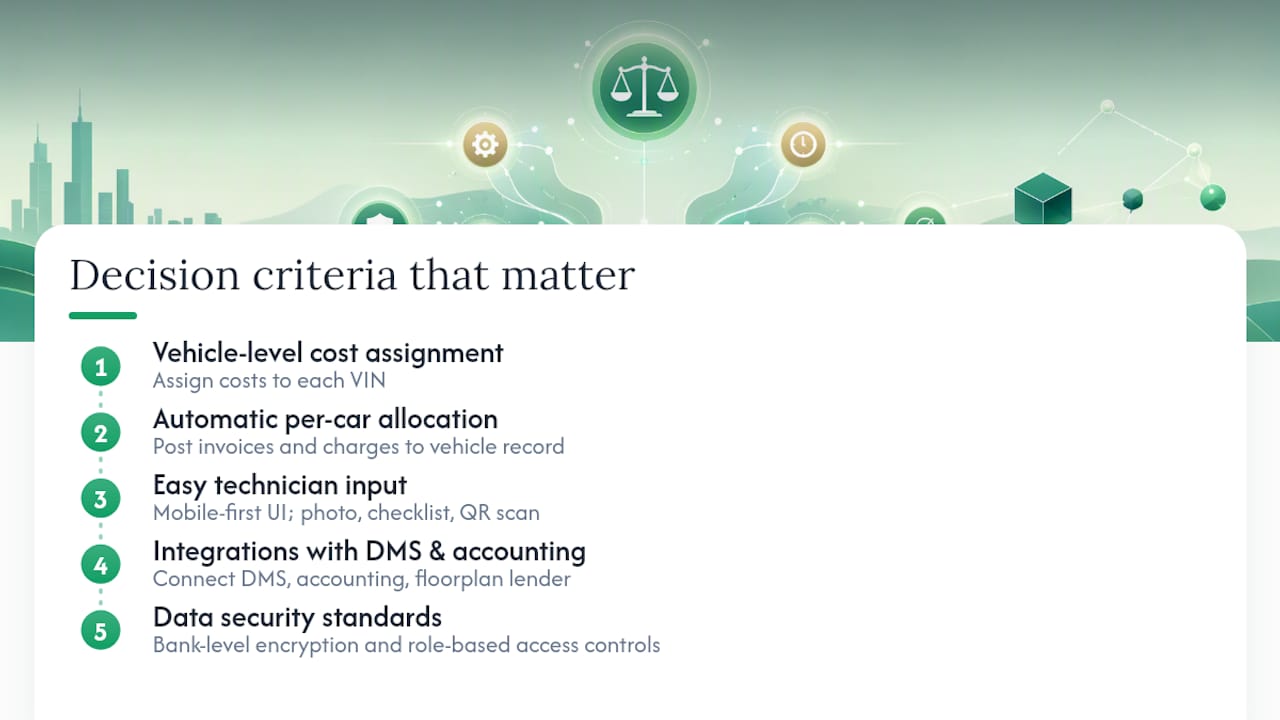
Finally, data security matters more than most dealers realize. Recon records contain vendor pricing, margin data, and acquisition costs. Bank-level encryption and role-based access controls are the minimum standard.
Demo checklist: questions to ask every vendor
- “Show me a per-car recon ledger for a single VIN, from purchase invoice to frontline date.”
- “How does a technician log a repair order on mobile? Walk me through the photo capture and checklist workflow.”
- “How do vendor invoices get matched to a vehicle record? Is it automatic or manual?”
- “What happens when a repair order exceeds the allocated recon budget? Does the system alert anyone?”
- “Show me your DMS integration. Which systems are native vs. API-dependent?”
- “Where does recon cost appear in your per-car gross report?”
- “What does your onboarding look like for a 75-unit-per-month dealer?”
Red flags to watch for
- No audit trail on cost entries (anyone can edit a line item with no log)
- Manual invoice matching only, with no automated vendor-to-VIN assignment
- No mobile workflow for technicians (desktop-only means delayed data entry)
- Recon costs visible only in aggregate, not at the vehicle level
- Accounting integration requires a third-party middleware you have to manage yourself
- Vendor can’t show you a live per-car gross report during the demo
Which features actually control recon costs?
Most recon software marketing leads with cycle time. Cycle time matters, but the features that directly reduce dollars spent are different from the ones that reduce days spent. Here’s what to prioritize.
-
Per-car cost ledger. Every repair, part, and labor charge posts to the vehicle record in real time. Without this, you’re estimating gross, not calculating it. Loturn’s per-car profit tracking assigns purchase, transport, and recon costs to each unit so true gross is visible before the sale.
-
Budget allocation and alerts. Set a recon budget per vehicle at acquisition. When spend hits 80% of that budget while work is still pending, the system flags it. Real-time budget tracking that alerts at 80% of allocated recon budget lets managers intervene before an overrun becomes a loss.
-
Mobile inspections and photo capture. Techs document condition at intake with photos tied to the VIN. This creates a before/after record that prevents scope creep and supports vendor accountability.
-
Standardized checklists. NIADA 20-group dealers recommend checklists focused on safety and reliability rather than cosmetic perfection to control recon costs. A checklist that asks “is it safe and reliable?” produces lower repair orders than one that asks “is it perfect?”
-
QR/barcode vehicle tracking. Scanning a QR code to pull up a vehicle record eliminates the manual VIN entry step and reduces mis-assignment of costs to the wrong unit.
-
Vendor portals and PO controls. Require vendors to submit invoices against an approved purchase order tied to the VIN. This prevents surprise invoices and creates a paper trail for every dollar spent.
-
Automated invoice matching. Invoices from vendors should match automatically to open work orders by VIN. Manual matching at month-end is where costs get lost or misassigned.
-
Aging and recon delay reports. A report showing which units have been in recon for more than X days, with cost-to-date, is the single most useful management tool for reducing holding cost. Auction-sourced vehicles typically take significantly longer to frontline compared to customer-sourced cars, which reach frontline relatively faster., and every extra day adds holding cost on top of repair cost.
-
True gross analytics. After recon closes, the system should calculate gross as: sale price minus acquisition cost minus transport minus recon minus floorplan interest. Anything less is an estimate.
Pro Tip: Shift your inspection language from “fix everything” to “safe and reliable.” Dealers who make this change report fewer inflated repair orders and lower average recon spend per unit, without hurting saleability. The NIADA 20-group data backs this up.
What does recon tracking software cost, and how long does it take to implement?
Pricing by platform category
Pricing shapes vary significantly by category. Flat monthly SaaS tiers for full dealer management platforms (like Loturn) typically run from a few hundred dollars per month for small independents up to several hundred for higher-volume operations. Standalone recon apps often charge per vehicle or per rooftop, which can look cheaper upfront but adds up at volume. Enterprise platforms are custom-quoted and usually require a multi-year contract.
Starting price callouts: Loturn uses flat monthly tiers with no per-vehicle fee. Standalone recon apps commonly start at a per-rooftop monthly fee. Enterprise platforms are not publicly listed and require a sales conversation.
Implementation timeline
- Discovery and data import (Days 1–5): Export current inventory and historical recon data. Loturn offers free data migration, which compresses this phase significantly.
- System configuration (Days 3–7): Set up vehicle templates, recon budget defaults, checklist templates, and user roles.
- Pilot (Days 7–30): Run 50 vehicles through the full workflow. Log actual recon costs against estimates. Identify the biggest variance sources.
- Full rollout (Days 30–60): Expand to full inventory. Train service and inventory teams on mobile workflows.
- Training cadence: Most platforms offer onboarding calls, video libraries, and live support. Plan for at least two structured training sessions in the first 30 days.
ROI calculation
The math is straightforward. Take your average recon cost per unit, your average days in recon, and your daily holding cost. Holding costs commonly run in the range of tens of dollars per vehicle per day in floorplan interest, insurance, and overhead. If better tracking cuts your average days in recon from 28 to 21, that’s 7 days times $40 per day equals $280 per unit in recovered holding cost. On 100 units per month, that’s $28,000. The software subscription pays for itself quickly. For the full per-car profit calculation, Loturn’s guide on calculating true profit on a used car walks through the exact math.
Pro Tip: Add floorplan interest to your per-day holding cost when modeling ROI. Most dealers undercount it because it posts monthly, not daily, but it’s a real cost that compounds with every extra day in recon.
How were these platform categories evaluated?
The evaluation behind this guide weighted six dimensions:
- Accuracy of per-car accounting (30%): Does the platform assign costs at the vehicle level with an audit trail? Can you produce a per-car gross report that includes recon?
- Workflow and mobile adoption (20%): Is the technician interface genuinely usable on a phone? Do checklists and photo capture work without friction?
- Integrations (15%): Native DMS and accounting integrations score higher than API-dependent connections that require middleware.
- Reporting and analytics (15%): Can the platform produce aging reports, budget variance reports, and true gross by acquisition channel?
- Security and compliance (10%): Bank-level encryption, role-based access, and audit logs are the baseline.
- Support and onboarding (10%): Is there live support? Is onboarding included, or is it an add-on?
Sources used in this evaluation include vendor product pages, published case studies, NIADA 20-group dealer insights, and independent recon cost analyses from VehicleLyfe and Clairvo Cars.
Vendor-reported pricing was validated where publicly listed. When pricing varies by volume or configuration, this guide shows the starting price shape rather than an exact quote. Enterprise platforms with custom pricing are noted as such.
What do standardized recon controls actually save?
The NIADA 20-group finding is worth taking seriously. Dealers who shifted their inspection language from “fix everything” to “safe and reliable” saw lower average repair orders without losing deals. The mechanism is simple: a checklist that asks whether a car is safe and reliable produces a bounded scope of work. A checklist that asks whether a car is perfect produces an open-ended scope that vendors are happy to fill.
A 50-car pilot framework
Run this before you commit to any platform:
- Pull your last 50 sold vehicles from your DMS or records.
- For each unit, record: acquisition source (trade-in, auction, private purchase), estimated recon budget at acquisition, actual recon spend at frontline, days from acquisition to frontline, and final gross.
- Split the results by acquisition channel. DMS analysis shows similar average recon bills across acquisition channels but longer days-to-frontline for auction cars, which means the real cost difference is in holding time, not repair dollars.
- Calculate your average daily holding cost (floorplan + insurance + overhead). Multiply by the difference in days between your fastest and slowest channel.
- That number is your baseline ROI target for any recon tracking investment.
Operational controls that reduce overruns
- Set a recon budget at acquisition for every unit, not just expensive ones.
- Trigger a manager review when any unit hits 80% of its allocated budget with work still open.
- Schedule a weekly 30-minute recon spend review between your inventory lead and service lead. Look at units over budget, units over 14 days in recon, and units with no cost entries in the last 48 hours.
- Require photo documentation at intake and at each major repair stage. Photos reduce disputes with vendors and prevent scope creep.
Pro Tip: The weekly recon review is where most of the savings happen. Dealers who run it consistently report catching overruns before they close, not after. Put it on the calendar as a recurring meeting, not an ad hoc check.
Detailed profiles: Loturn and platform category snapshots
Loturn (recommended for independents)
Loturn is built around a single premise: you should know your gross on every car before you sell it. That means every cost, including recon, posts to the vehicle ledger from the moment it’s incurred.
Key recon-relevant features:
- Per-car profit tracking assigns purchase price, transport, and recon costs to each unit
- Acquisition-to-frontline workflow ties recon actions to budgets and vendor invoices
- Native double-entry accounting with an automotive chart of accounts so recon expenses post accurately to dealer financials
- Inventory records linked to financials so recon costs appear in per-car gross calculations automatically
- Mobile app for technician reporting and inspection logging
- Bank-level encryption and role-based access controls
- Free data migration and fast setup
Best for: Independent used-vehicle dealers (cars, RVs, boats, bikes, trailers) who want per-car profit visibility without building a separate accounting workflow.
Starting price: Flat monthly tiers; no per-vehicle fee. Publicly listed on the Loturn website.
Integrations: Native accounting, inventory, and CRM. Listing syndication to web platforms.
Onboarding: Days to weeks. Free data import included. Live support and training calls available.
Pros: Finance-first design means recon cost tracking is built in, not bolted on. Fast ROI for dealers currently using spreadsheets or generic accounting software.
Cons: Multi-rooftop rollup is less developed than enterprise platforms. Best fit is single-point independents.
DMS-native recon module
Best for: Dealers already running a major DMS who want to avoid a new vendor relationship.
Feature strengths: Data already lives in the DMS; vehicle records are pre-populated; basic cost entry and status tracking available.
Trade-offs: Recon cost tracking is secondary to the DMS’s core function. Per-car gross reporting is shallow. Checklist and photo capture features lag behind standalone recon apps.
Starting price: Add-on fee per rooftop; varies by DMS vendor.
Integration limits: Strong within the DMS ecosystem; weak for external accounting systems.
Onboarding estimate: Weeks to months, depending on DMS complexity.
Standalone recon apps
Best for: High-volume shops where shop-floor workflow and cycle-time management are the primary need.
Feature strengths: Strong technician UX, photo capture, QR scanning, checklist management, vendor portals. Good cycle-time and aging reports.
Trade-offs: Accounting integration requires extra configuration. True per-car gross reporting usually needs a separate system. Per-vehicle pricing can add up at scale.
Starting price: Per-rooftop monthly SaaS; some charge per vehicle processed.
Integration limits: DMS integration often available but may require middleware. Accounting integration varies by vendor.
Onboarding estimate: Days to weeks for the workflow layer; longer if accounting integration is needed.
Enterprise recon platforms
Best for: Large dealer groups needing multi-rooftop visibility, vendor portals, and PO controls.
Feature strengths: Full analytics suite, multi-rooftop rollup, advanced vendor management, broad DMS and accounting integrations.
Trade-offs: Custom pricing, long implementation (months), and contract commitments that are overkill for a single-point independent.
Starting price: Custom; not publicly listed.
Onboarding estimate: Months, with dedicated implementation support.
For a broader look at how recon tracking fits into your overall software stack, the used car dealer software buyer’s guide covers the full decision.
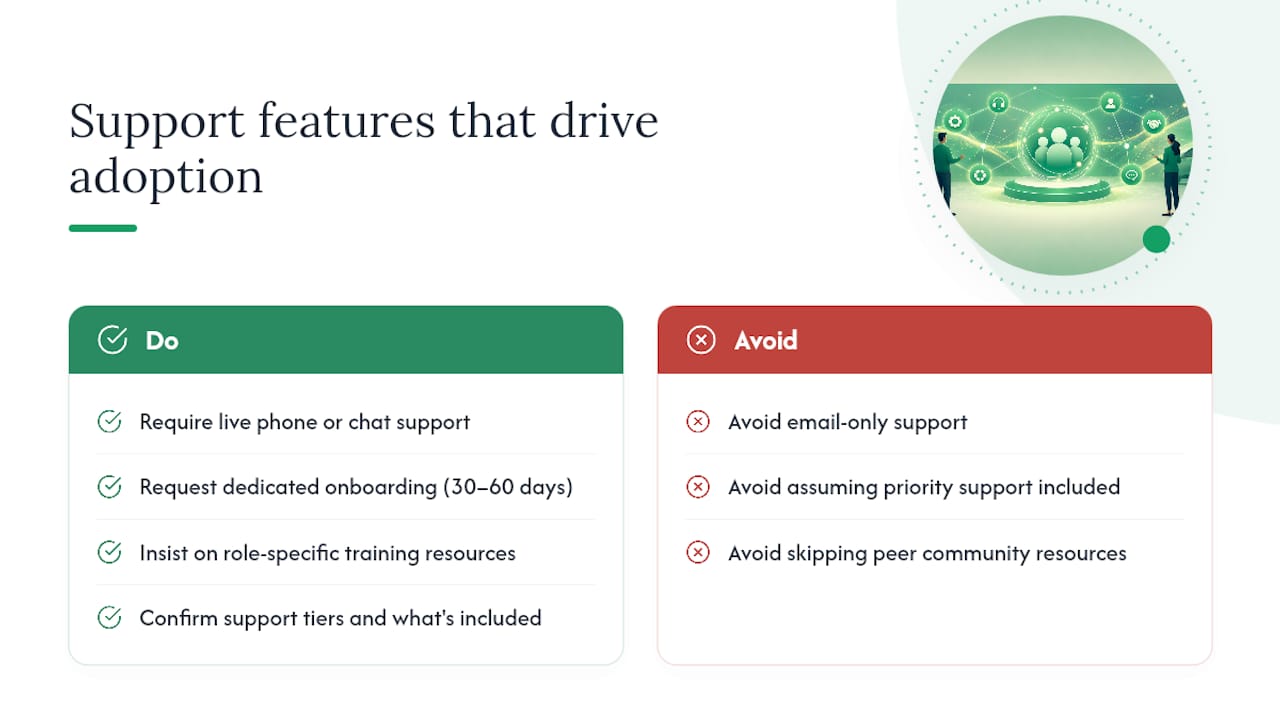
What support and training should you expect from recon software vendors?
Support quality separates platforms that get adopted from ones that get abandoned after 60 days. Here’s what to look for and what to ask.
Live support access. At minimum, you want a real person reachable by phone or chat during business hours. For a platform handling your financial data, email-only support is a risk. Ask vendors: “If my service manager can’t log a repair order on a Friday afternoon, who do they call?”
Onboarding structure. The best vendors assign a dedicated onboarding contact for the first 30–60 days. They walk you through data import, system configuration, and the first live transactions. Loturn includes free data migration and onboarding support as part of setup, which matters when you’re moving cost history from spreadsheets or a legacy DMS.
Training resources. Look for a combination of live training calls, recorded video walkthroughs, and a searchable knowledge base. Technicians learn differently from managers. A platform that offers role-specific training (technician mobile workflow vs. manager reporting) gets adopted faster.
Ongoing support tiers. Some platforms charge extra for priority support or dedicated account management. Know what’s included in your subscription before you sign. Ask specifically: “Is there a support tier above what’s included in my plan, and what does it cost?”
Community and peer resources. Platforms with active user communities, webinars, or dealer-specific resource hubs (like the Loturn dealer academy) give you access to how other dealers are solving the same problems, not just vendor-authored documentation.
For cross-team handoffs between your service and inventory teams during recon, the guidance on sales-to-finance handoff patterns is worth a read for structuring your internal workflow before you configure any software.
Why a finance-first platform is the right call for most independents
This article is published by Loturn, so the recommendation deserves a straight explanation rather than a buried disclosure.
The case for a finance-first platform over a workflow-first recon app comes down to what problem you’re actually solving. Most independent dealers don’t have a cycle-time problem as their primary issue. They have a visibility problem: they don’t know their true gross until the deal is closed, sometimes weeks after the car sold. By then, the recon overrun is already baked in.
A platform that starts with per-car profit and builds recon tracking into the financial ledger solves the visibility problem first. You see the gross eroding in real time as recon costs post, which changes the decisions you make during the recon process, not after it.
Workflow-first recon apps are genuinely strong at shop-floor management. If you’re running a 500-unit-per-month operation with a dedicated reconditioning center, a standalone recon app’s technician workflow and vendor portal features may justify the extra integration work. The earlier sections of this article explain those trade-offs at the category level.
For a single-point independent running 30–150 units per month, the integration overhead of stitching a recon app to a separate accounting system usually costs more in time and errors than it saves in workflow efficiency. One platform that handles both is the cleaner path.
Loturn’s 50-car pilot: see your true recon costs in weeks
Knowing your recon costs on paper is different from seeing them on every car you own right now. Loturn’s setup is built to close that gap fast.
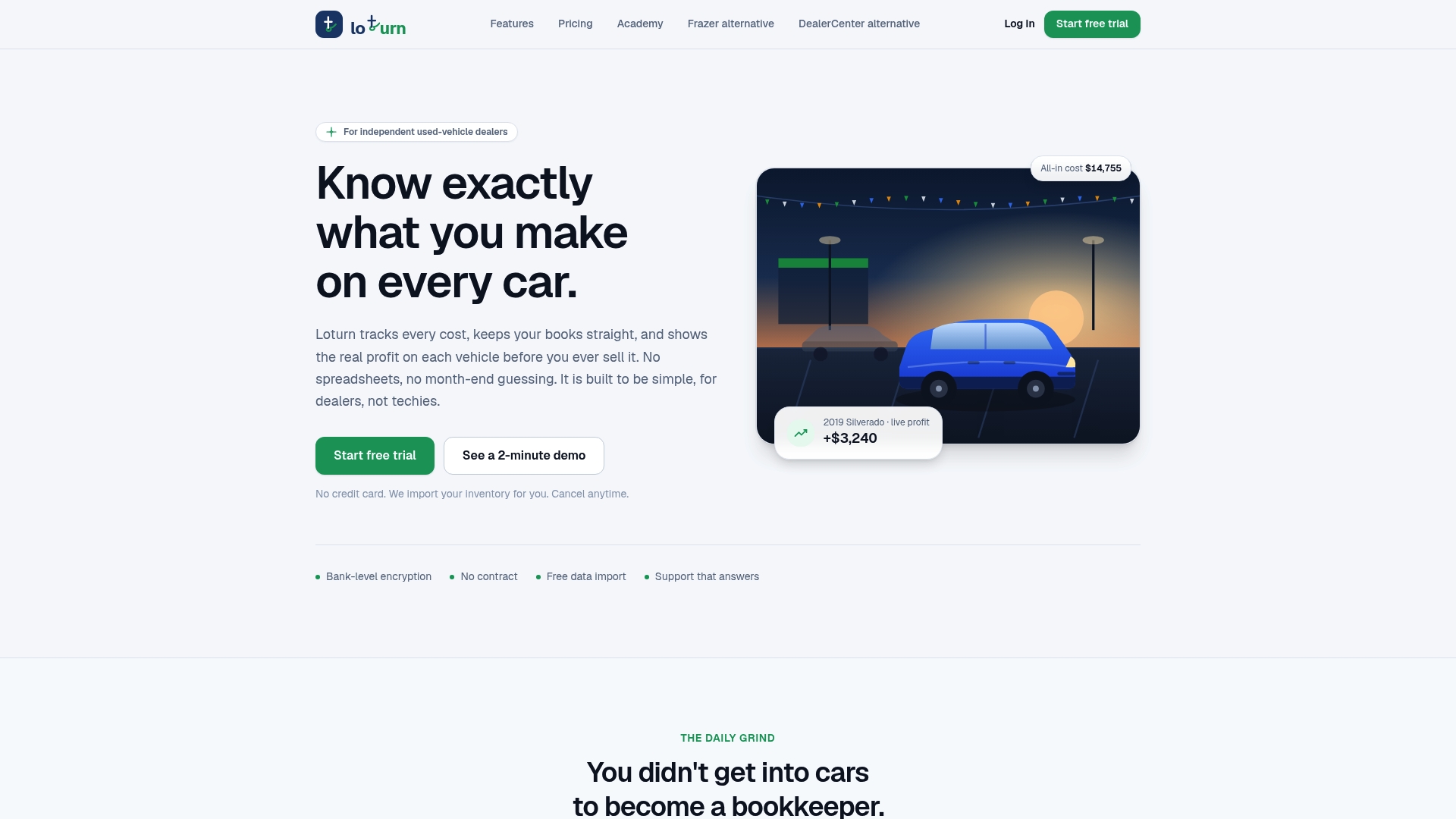
Here’s what a 50-car pilot looks like in practice. You bring your recent inventory data; Loturn’s team handles the import and maps your existing cost categories to the automotive chart of accounts. Within days, you have a live per-car ledger showing purchase price, transport, and recon costs against each VIN. Run it for 30 days and you’ll have a before/after comparison of estimated vs. actual recon spend, split by acquisition channel.
Onboarding typically takes a few days to two weeks depending on data complexity. You’ll need your current inventory list, recent vendor invoices, and a 30-minute kickoff call. From there, Loturn’s team walks your service and inventory leads through the mobile workflow and reporting setup.
The dealer accounting features handle the financial side automatically: recon costs post to the vehicle ledger via native double-entry accounting, so your books and your per-car gross stay in sync without manual reconciliation. Start your pilot at Loturn or go straight to the recon and acquisition feature page to see the workflow in detail.
Sources
- Dealers’ approach to recon – Dashboard by NIADA
- Vehicle Reconditioning Budget Management Best Practices | READY HUB
- Reconditioning Costs Are Eating Dealer Margins in 2026
- It’s Not the Recon. It Was Never the Recon. - VehicleLyfe
FAQ
What does it cost to recondition a used car?
Total reconditioning for a mainstream used vehicle typically runs $650–$2,450, broken down across mechanical ($300–$900), cosmetic ($200–$1,200), and detail/presentation ($150–$350). The actual figure depends heavily on acquisition source and vehicle condition.
How much does recon tracking software cost per month?
Pricing varies by platform type. Finance-first platforms like Loturn use flat monthly tiers with no per-vehicle fee. Standalone recon apps often charge per rooftop or per vehicle processed. Enterprise platforms are custom-quoted and not publicly listed.
What is Rapid Recon, and who are its main competitors?
Rapid Recon is a standalone recon workflow platform focused on cycle-time management and shop-floor tracking for dealerships. It falls in the standalone recon app category described in this guide. Alternatives include other standalone recon apps, DMS-native recon modules, and finance-first platforms like Loturn that combine recon tracking with per-car profit accounting.
How do you calculate ROI on recon tracking software?
Multiply your average daily holding cost (typically $37–$45 per vehicle) by the number of days you expect to cut from your recon cycle, then multiply by your monthly unit volume. Add any reduction in recon overruns from budget alert controls. Compare that total to the monthly subscription cost.
What should you look for in a recon tracking demo?
Ask the vendor to show you a per-car recon ledger for a single VIN, walk through the technician mobile workflow, demonstrate how vendor invoices match to vehicle records, and show you a per-car gross report that includes recon costs. If they can’t show all four in a live demo, that’s a red flag.