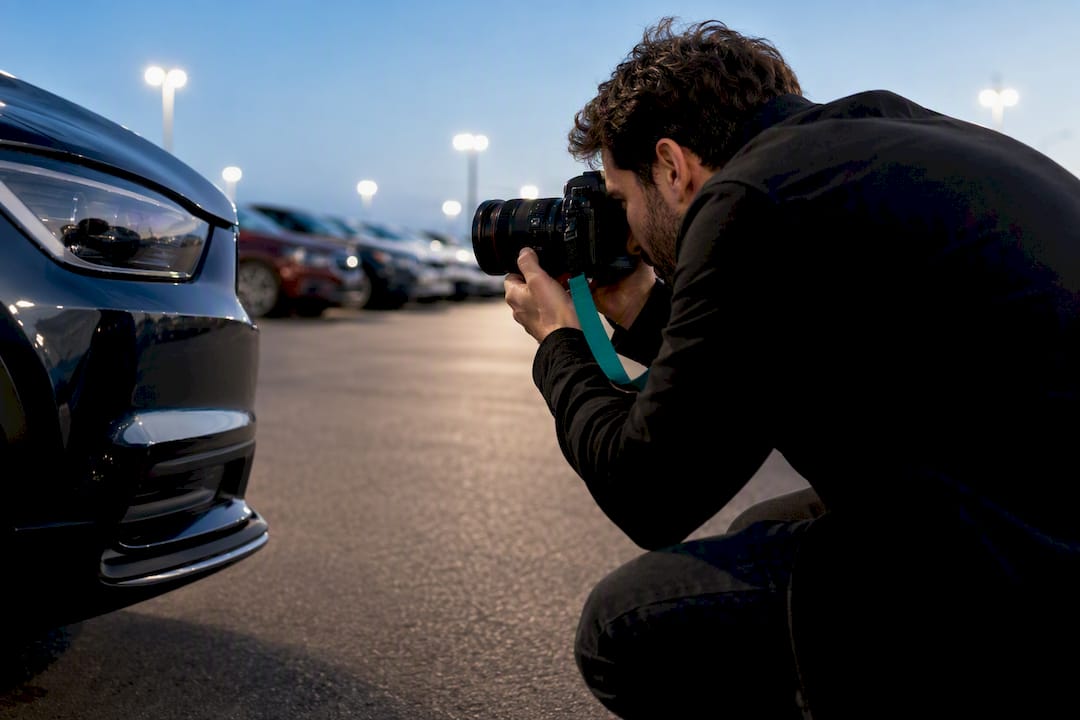
A standardized landscape walk-around, led by a front three-quarter hero shot and finished with marketplace-compliant JPEG or PNG files at the right resolution, is the single most effective photo standard for any used-car pricing and negotiation strategy for vehicle listings. Cover a comprehensive range of angles including VIN, odometer, and damage close-ups, in a consistent order, with minimal editing. That combination builds buyer trust faster than any single “great” photo can.
TL;DR:
- Properly standardized exterior shots include front, side, rear, and straight-on angles, with an emphasis on the front three-quarter view as the listing thumbnail.
- Marketplace photo standards generally require landscape orientation, JPEG or PNG formats, minimum resolutions of 800x600, and file sizes up to 16 MB for clarity and consistency.
- Consistent lighting conditions like overcast or early morning/late evening help reduce reflections and shadows, while shooting from 10 to 15 feet prevents distortion.
- Ordering photos from the hero shot through interior and detail shots influences buyer engagement and should follow a fixed sequence for efficiency.
- Unique proof images such as VIN plates, odometer readings, damage scale photos, and documentation are essential for buyer trust and rejection can often be avoided with simple reshoots or edits.
Table of Contents
- What Is the Recommended Shot List for a Car Listing?
- Marketplace Photo Standards: Format, Size, and Resolution
- How Should You Light and Shoot the Car?
- How Should You Order Photos in the Gallery?
- What Condition and Compliance Photos Do You Need?
- Why Do Listing Photos Get Rejected?
- How Do You Standardize Photo Quality Across a Dealer Lot?
- A Practitioner’s Take on Photo Standards
- Keep Listing Photos Tied to Real Per-Car Records
- Sources
- FAQ
What Is the Recommended Shot List for a Car Listing?
Buyers scan galleries the same way every time: front, sides, back, inside, details. Your shot list should match that habit exactly, not fight it. A repeatable sequence also means whoever is holding the camera, whether that’s you or a rotating lot attendant, produces the same gallery every time.
Start with the exterior shots covering front three-quarter views on both sides, driver-side and passenger-side profiles, rear three-quarter views on both sides, and straight-on front and rear angles
This eight-angle sequence is close to what Vehicle Imagery documents as the industry-standard set of exterior angles, and using the same set across every listing lets buyers compare cars side by side without hunting for missing views.
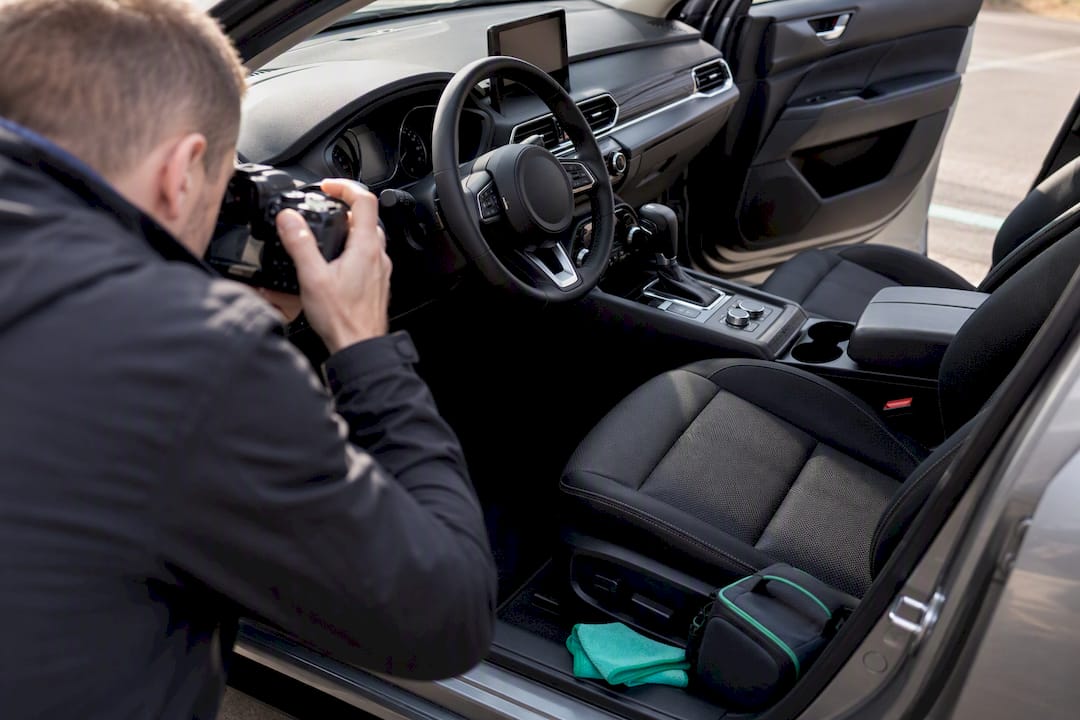
Move inside next: driver dash, passenger dash, rear seats, trunk or cargo area shot from above or behind, center console and infotainment screen, and a wide shot of the upholstery or seat bolsters showing wear. Then close with condition shots: odometer, VIN plate, wheel and tire close-ups, door jambs, any visible damage, the engine bay, and, when practical, the underside.
How many photos is enough? A quick listing can get by on a modest number of images, while a standard dealer gallery typically includes a substantial number of photos. Premium or detail-rich listings often include an extensive collection of images to justify a higher price. Convertibles need shots with the top up and down. Trucks and SUVs need a bed shot and a ground-clearance angle. EVs need the charging port photographed clearly, since it’s often the first thing a shopper checks.
Marketplace Photo Standards: Format, Size, and Resolution
Every marketplace has technical requirements that have nothing to do with how good your photography skills are, and getting them wrong is the fastest way to have a listing look broken even when the car looks great.
Formats are simple: JPEG and PNG are the two accepted almost everywhere. Orientation is not negotiable either. Landscape only. A portrait photo of a car crops badly on nearly every listing template and it’s one of the most common reasons galleries get flagged.
| Spec | Typical guidance |
|---|---|
| Format | JPEG or PNG |
| Orientation | Landscape |
| Aspect ratio | 3:2 or 4:3 |
| Practical resolution | 800x600 minimum |
| High-quality resolution | 2400x1600 for zoom clarity |
| Max file size | Roughly 10–16 MB depending on platform |
Google’s own image guidance recommends 800x600 as a workable resolution and caps file size at up to 16 MB, while flagging watermarks and stock imagery as red flags. Cars & Bids’ photo guide pushes further, recommending a 3:2 aspect ratio and resolutions around 2400x1600 for listings meant to look premium under zoom.
A few rules show up across nearly every platform:
- No watermarks or logo overlays on the image itself.
- No AI-generated or stock photography standing in for the actual car.
- VIN plates and odometer digits must be sharp enough to read at full zoom.
- If a file is too large, resize the dimensions before you crush the compression, since over-compressing tanks the sharpness buyers need on detail shots.
How Should You Light and Shoot the Car?
Good lighting conditions, such as open shade, overcast skies, or the hours just after sunrise or before sunset, greatly enhance photo quality by softening reflections and avoiding harsh shadows. Avoid shooting under trees to prevent dappled light that can be mistaken for damage in small images.
For exterior overviews, step back roughly 10 to 15 feet before you shoot. That distance keeps the standard lens from distorting the car’s proportions, a common problem when someone gets too close and shoots wide. Cars & Bids’ own shot guide recommends this same range for a reason: closer shots stretch wheel wells and bumpers in ways that make an honest car look off.
Maintain consistency by using the phone or camera’s standard lens for most shots, locking exposure and focus before shooting, employing gridlines to keep horizons level, and keeping vehicle elements like the steering wheel consistently angled across images.
If you’re working with an actual camera rather than a phone, static exterior shots do well around f/8 to f/11 at ISO 100, with a wider aperture for detail shots where you want the background to blur out.
Pro Tip: Shoot your interior overview from outside the car, framing rearward through the open door. You’ll get a sharper, better-lit view of the dash and seats than trying to shoot from the driver’s seat itself.
How Should You Order Photos in the Gallery?
The order buyers see matters almost as much as the photos themselves, because most shoppers decide whether to keep scrolling within the first three or four images.
- Front three-quarter hero shot
- Driver-side and passenger-side profiles
- Rear three-quarter angles
- Straight-on front and rear
- Interior shots, dash to trunk
- Detail and condition close-ups
- Engine bay and trunk
- Documentation photos (VIN, odometer, records)
The front three-quarter leads for a reason. It shows more of the car’s shape, stance, and condition in a single frame than any other angle, which is why it consistently performs best as the listing card thumbnail. It’s the photo doing the most work to earn a click before the buyer ever opens the full gallery.
Upload photos in the sequence they were shot or use a numerical naming system to preserve intended order, and verify the listing to ensure the gallery displays images correctly.
What Condition and Compliance Photos Do You Need?
Buyers and lenders both want proof, not just pictures. A gallery with a great hero shot and no VIN photo still reads as incomplete to anyone doing due diligence.
- A clear, legible VIN plate shot, close enough to read every character.
- An odometer reading, sharp enough to confirm the mileage stated in the listing.
- Snapshots of title or service records, with personal information like names and addresses redacted.
- Photos of extra keys, fobs, or included accessories.
For damage, shoot two photos minimum: a wide context shot showing where on the car the damage sits, and a close-up with something of known size, a coin, a ruler, next to the damage for scale. Bring a Trailer’s photography guide recommends exactly this pairing so buyers can judge severity without guessing. Never post a document photo with a Social Security number, full account number, or home address visible. If you’re organizing these files at scale, a document management workflow built for dealership records keeps VIN, title, and service photos tied to the right car instead of buried in a camera roll.
Why Do Listing Photos Get Rejected?
Most rejections trace back to the same handful of mistakes, and nearly all of them are fixable in minutes.
- Portrait-orientation images that crop badly on listing templates.
- Watermarks, logos, or text overlays baked into the photo itself.
- VIN or odometer shots too blurry or too dark to read.
- Resolution too low to hold up at full size or zoom.
- Photos that are clearly old, showing a different season, background, or even a different set of wheels than the current listing.
The fixes are just as short: reshoot in open shade, crop to a 3:2 or 4:3 ratio, resave as JPEG at a quality setting that doesn’t gut sharpness, and reupload in the correct order. Small exposure or white-balance corrections are fine. What crosses the line is anything that changes what a buyer would actually see in person, AI-generative retouching, removed damage, or swapped backgrounds, all of which several marketplaces explicitly prohibit.
Pro Tip: If you’re not sure whether an edit is acceptable, ask yourself if the buyer would be surprised standing in front of the actual car after seeing the photo. If yes, undo the edit.
How Do You Standardize Photo Quality Across a Dealer Lot?
At scale, consistency comes from process, not talent. Assign a fixed walk-around sequence and split the job into shooter, uploader, and a quick QA check before the listing goes live. A trained lot attendant following a strict checklist can shoot the core angles in under 10 minutes per vehicle, which makes consistency a scheduling problem, not a skill problem.
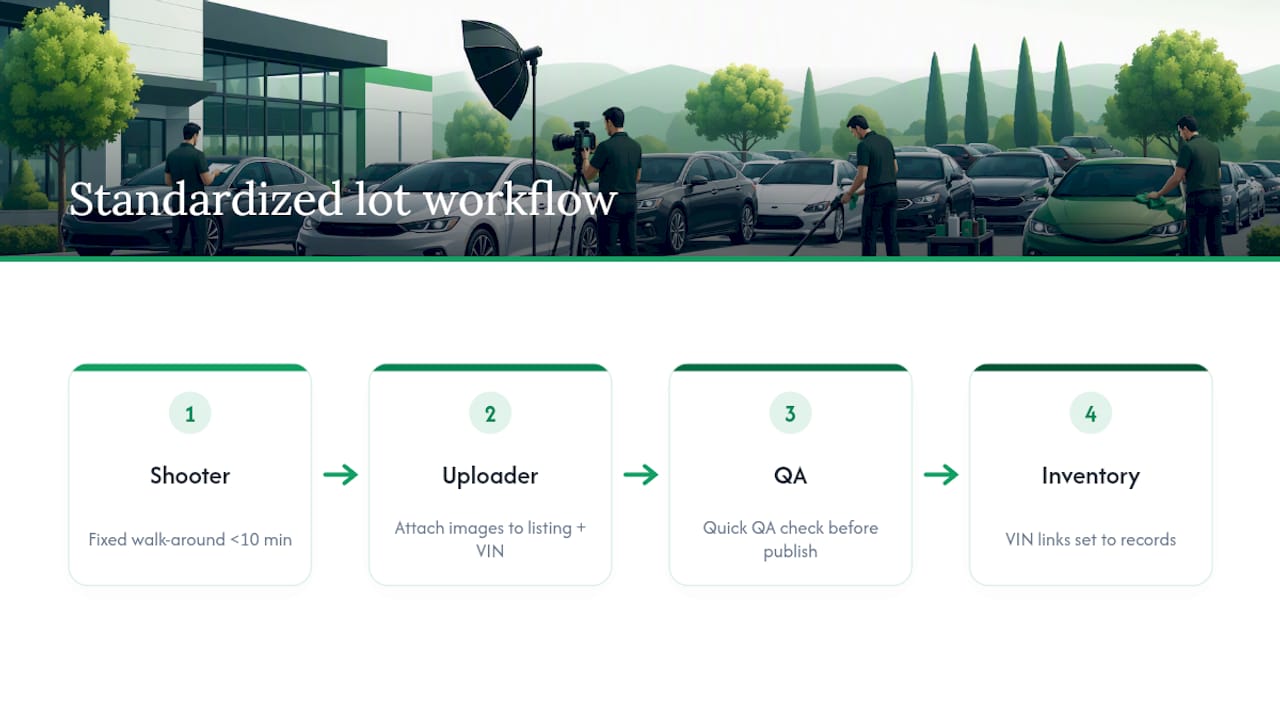
Tying each image set to the VIN inside your inventory management workflow also supports appraisal and financing checks later, since lenders and auditors want to see the car matched to its paperwork, not a folder of loose photos.
A Practitioner’s Take on Photo Standards
Dealers who standardize photo shoots close deals faster and get fewer “is this the same car?” calls after a sale. It’s not about better cameras. It’s about the same 20 shots, in the same order, every single time. Resources like Loturn’s Dealer Academy exist because the operational habit matters more than the gear.
— Eric Dosset
Keep Listing Photos Tied to Real Per-Car Records
A consistent photo set only pays off if it connects to accurate numbers behind the scenes. Loturn is built for independent dealers who want their listings and their books telling the same story, VIN photos, title records, and per-car costs all linked to one vehicle file instead of scattered across a phone and a spreadsheet.
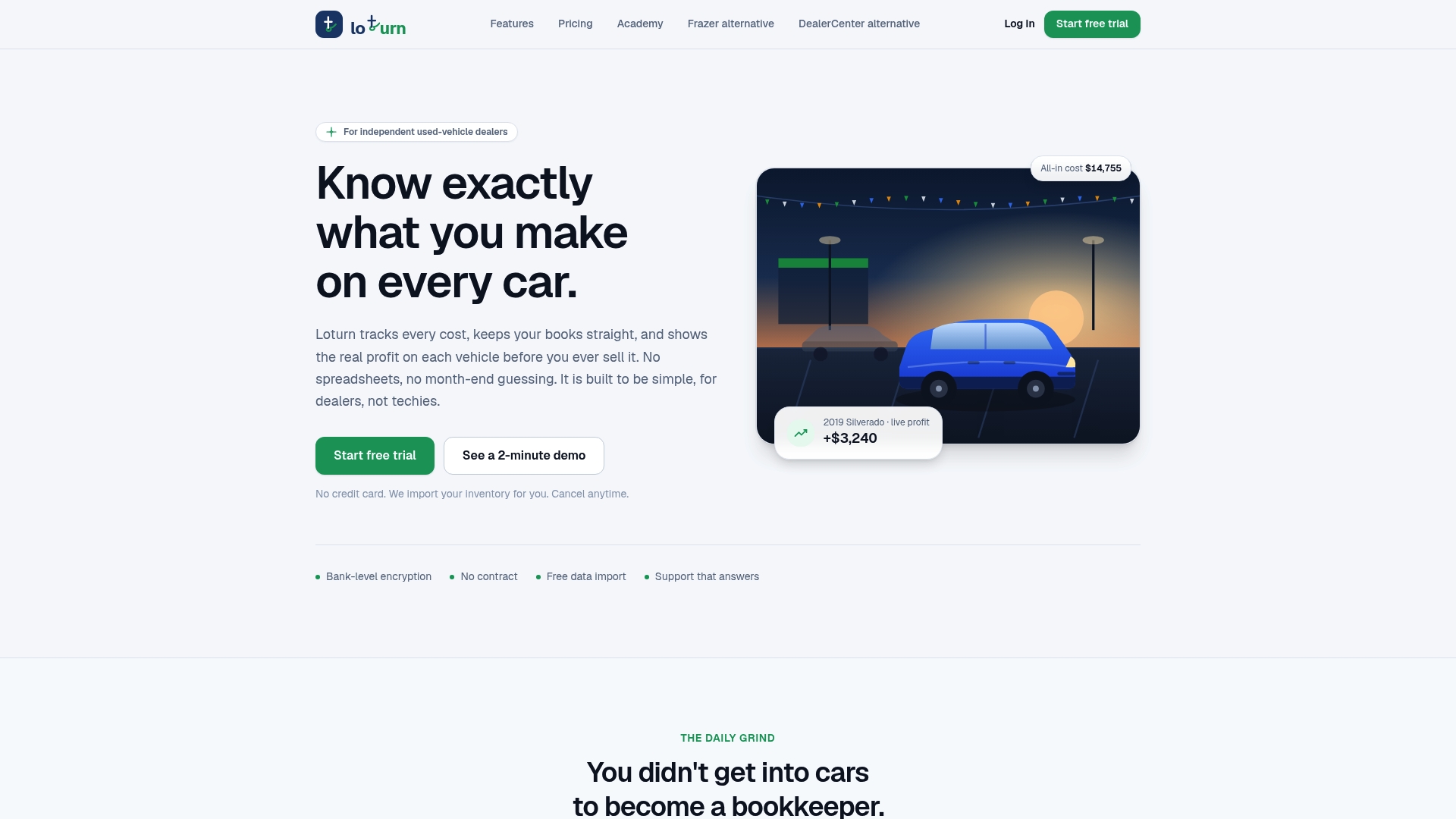
Loturn’s document management tools keep VIN plates, odometer shots, and service records attached to the right car, so nothing goes missing when a buyer or lender asks for proof. Its per-car profit tracking shows true cost and margin on every unit the moment recon and transport bills land, not weeks later at reconciliation. And the Dealer Academy has free checklists for exactly the kind of documentation workflow this article covers.
If your listings are ready but your books aren’t, check out Loturn’s accounting features built specifically for used-vehicle dealers, or bring a spreadsheet’s worth of history over with free data migration and see your real numbers on day one.
Sources
- Google Ads help: Image requirements and specifications
- Cars & Bids — Photo guide and checklist (PDF)
- Bring a Trailer — BAT photography guide
FAQ
What Photos Should You Include When Selling a Car?
Cover the full exterior walk-around, all interior seating areas, the trunk and engine bay, and proof shots of the VIN and odometer. A quick listing can work with 12 to 15 photos, but a standard dealer gallery of 20 images performs better with buyers.
What Is the 20-60-20 Rule in Photography?
It’s a general composition guideline suggesting a photo’s frame breaks roughly into a 20% foreground, 60% subject, and 20% background split, keeping the main subject dominant without crowding the frame. For car photos, it translates to filling most of the frame with the vehicle while leaving enough clean background to avoid clutter.
What Is the $3,000 Rule for Buying Cars?
This is a budgeting guideline some buyers use, generally referring to keeping a used-car purchase price around or under a few thousand dollars to limit financial risk on an older vehicle, but it isn’t a formal industry standard and definitions vary by source.
What Are Common Reasons for Photo Rejection?
Portrait orientation, watermarks or overlays, unreadable VIN or odometer shots, and resolution too low to display clearly are the most frequent causes. Outdated photos showing a different condition than the current car also get flagged on several marketplaces.
How Many Photos Should a Car Listing Have?
Twenty photos is the sweet spot for most dealer listings, covering the full exterior sequence, interior, and condition proof shots. Fuller, standardized galleries in this range tend to draw more views and buyer inquiries than incomplete ones.