
Yes, dealers can sell on Facebook Marketplace in 2026, but only through two supported routes: paid Automotive Inventory Ads or organic listings pushed through an approved Inventory Partner feed. Manual, one-by-one posting from a personal or dealer account is no longer a viable strategy at scale. For a full lot, the feed route wins on volume and compliance. For a handful of test units, paid inventory ads let you dip a toe in without setting up a syndication partner.
TL;DR:
- Dealers with full lots must use an approved inventory feed through an Inventory Partner to maintain compliance and avoid account limits.
- Listing quality, including photos and accurate, timely pricing, directly impacts lead generation and buyer trust on Facebook Marketplace.
- Automating lead routing into a CRM and maintaining a clear feed structure are crucial to measure response times and maximize conversion rates.
- Starting with a small pilot of 10 to 20 vehicles helps ensure feed accuracy, proper tagging, and lead management before scaling up.
- Real-time, per-VIN inventory tracking reduces listing errors and ensures accurate pricing, which are vital to prevent ghost listings and improve profitability.
Table of Contents
- What Are Automotive Inventory Ads Versus Organic Marketplace Listings?
- How Do You Set Up Your Feed and Verify Your Dealership Page?
- What Listing Standards Actually Get Clicks and Calls?
- How Should You Route Marketplace Leads Into Your CRM?
- Which Automation Model Fits Your Lot Size?
- How Do You Avoid Scams and Account Suspensions?
- How Does Financial Accuracy Reduce Marketplace Listing Errors?
- A 30-Day Rollout: What to Prioritize First
- How Loturn Keeps Your Marketplace Listings Honest
- Where to Verify Policy and Feed Requirements
- Sources
- FAQ
What Are Automotive Inventory Ads Versus Organic Marketplace Listings?
The two paths solve different problems, and confusing them is why a lot of dealers waste weeks fighting the platform instead of selling cars.
Automotive Inventory Ads are paid placements. You upload a vehicle feed through Meta’s ad tools, set a budget, and your inventory shows up as sponsored listings across Marketplace and Facebook’s News Feed. No Inventory Partner required. No Dealership tag required. You pay for reach, and Meta’s ad-delivery system decides how far your budget stretches.
Organic Marketplace listings, the free postings that show up in local search and browsing, now require a different setup entirely. According to Facebook’s own documentation on dealership Pages, a Dealership tag only appears when your inventory flows through an approved feed or automotive catalog. That means you need an Inventory Partner, a third-party vendor that formats your DMS or website data into a feed Meta will accept, syncs it daily, and removes sold units automatically.
The rules tightened after January 2023, and DealerVLO’s compliance breakdown confirms manual posting at any real scale now risks account limits.
- Small lot (under 15 cars) or testing the water: paid inventory ads, minimal setup.
- Full inventory (20+ units), ongoing: organic feed through an Inventory Partner.
- Both at once: common for dealers who want paid reach on top of free, always-on visibility.
How Do You Set Up Your Feed and Verify Your Dealership Page?
Getting from zero to a live, compliant feed takes a handful of concrete steps, and skipping any of them is usually why approval gets stuck in review.
- Verify your Facebook Business Page. Meta will ask for your dealer license, business address confirmation, and sometimes a utility bill or lease. Submit this before you touch a feed.
- Request Dealership verification inside Meta Business Suite once your Page is confirmed. This is what unlocks the Dealership tag on your listings.
- Pick your feed source. Most dealers pull directly from their DMS or use a website export. The feed needs, at minimum, VIN, price, mileage, and a primary photo per unit, structured in the format your Inventory Partner or Meta’s catalog spec requires.
- Interview your Inventory Partner before signing anything. Ask specifically: How often does the feed sync (hourly, daily)? How fast are sold units pulled down? How are Marketplace leads delivered, straight to email, a webhook, or a dashboard? What’s the monthly cost, and what’s the support response time when something breaks?
- Run a pilot batch. Push 10 to 20 vehicles first. Confirm each listing shows the Dealership tag, pricing matches your DMS, and photos loaded correctly.
- QA before full rollout. Check for duplicate listings, mismatched VINs, and stale sold units still showing as available. This is the single most common source of buyer complaints and wasted leads.
A clean feed at step one saves you weeks of troubleshooting later. Loturn’s guide to inventory management software covers how to keep your source data structured enough that any feed partner can ingest it without errors.
What Listing Standards Actually Get Clicks and Calls?
Photo count and pricing accuracy aren’t just best practices, they’re the difference between a listing that generates calls and one that gets scrolled past. Relay Autos’ 2026 dealer guide ties listing quality directly to lead volume, and the pattern holds across most dealer feeds: more complete photo sets and faster price updates correlate with more inquiries.
Minimum photo set per vehicle:
- Hero shot, front three-quarter angle, clean background
- Odometer reading, clearly legible
- Engine bay
- Full interior, dash and seats
- Close-up of wheels and tires (buyers check tread wear first)
Write descriptions price-first. Lead with the number, then trim, mileage, and one line on availability (“In stock now, test drives available today”). Skip the paragraph of marketing copy. Buyers scanning Marketplace want the price and the next step, not a sales pitch.
Display the VIN in the listing body, not buried in a photo caption. It builds trust immediately and lets serious buyers run a history check before they even call. NerdWallet’s Marketplace selling guide recommends the same transparency for individual sellers, and it matters even more for dealers, where buyers expect a paper trail.
Pro Tip: Reprice or pull a listing within 24 hours of any change on your lot. A stale price on a sold car is the number one driver of “is this still available?” messages that waste your BDC’s time and tank your response-time metrics.
How Should You Route Marketplace Leads Into Your CRM?
A Marketplace message that sits in Messenger and never touches your CRM is a lead you’re actively throwing away. There’s no attribution, no SLA tracking, and no way to know which listings are actually producing appointments.
Route every Messenger conversation into your CRM or BDC queue the same way you’d handle a phone lead. Industry benchmarks on dealer response times show conversion drops sharply once first response passes the first few minutes, not hours. Set a target SLA of under 15 minutes during business hours, and have a templated first message ready: confirm availability, ask if they’ve seen the vehicle history report, and offer a specific appointment window rather than “come by anytime.”
Track these numbers weekly, not monthly:
- Lead-to-appointment rate, by source code
- Appointment-to-sale rate
- Cost-per-sale, if you’re running paid inventory ads alongside organic
- Average first-response time
Technically, you have three integration options: a direct Messenger-to-CRM connector many CRMs now support, a webhook that pushes new conversations into your BDC software in real time, or an email forward as a manual fallback. The webhook route is worth the setup time if your CRM supports it. Manual email forwarding works for low volume but falls apart once your feed is pushing real inventory numbers.
Which Automation Model Fits Your Lot Size?
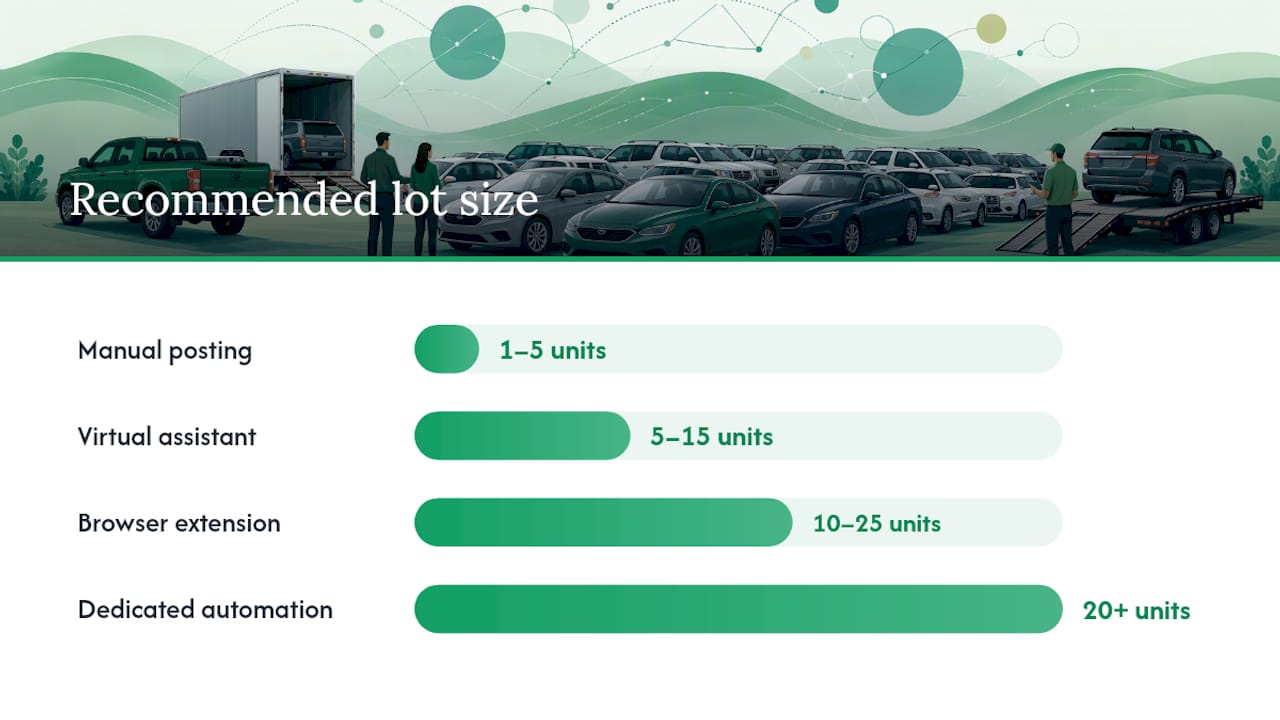
Dealers generally land on one of four operating models, and the wrong choice either wastes staff hours or puts your account at risk. PeerPush’s 2026 automation breakdown lays out the tradeoffs clearly, and they hold up against what most feed partners will tell you directly.
| Model | Best for | Cost | Accuracy risk | Compliance risk |
|---|---|---|---|---|
| Manual posting | 1 to 5 units, occasional | Low (staff time only) | High (human error, forgotten sold-removals) | High at any real scale |
| Virtual assistant | 5 to 15 units | Moderate (hourly labor) | Moderate | Moderate, depends on VA’s posting method |
| Browser extension | 10 to 25 units | Low to moderate (subscription) | Moderate | Moderate to high, varies by vendor |
| Dedicated automation software / Inventory Partner | 20+ units, full lot | Higher (monthly fee) | Low | Low, built for compliance |
The red flags to watch for when vetting any automation vendor: cloud-based posting that never touches your own authenticated Facebook session, marketing language promising to “bypass” posting limits, and vague or missing answers about how fast sold units get pulled down. A tool that posts at inhuman speed or ignores sold-item removal is the fastest way to get your Page flagged.
If you’re testing automation, start with a small batch, watch your Page’s health status daily for the first two weeks, and keep a manual fallback ready in case the feed sync fails.
How Do You Avoid Scams and Account Suspensions?
Facebook enforces posting limits through automated pattern detection, not manual review, so a sudden spike in listings or rapid-fire postings from a new Page is what typically triggers a shadow ban. Spread out your initial rollout and let your feed partner’s sync schedule handle pacing rather than pushing everything at once.
If your account gets limited, appeal through Meta Business Suite with documentation of your dealer license and verified Page status ready to attach. Response times vary, but a clean paper trail speeds things up.
On the buyer side, scams cut both ways. A widely reported case documented by Motor1 involved a buyer losing money to a seller who never had legal title to the vehicle, a reminder that verification matters for both sides of a Marketplace deal. Confirm buyer identity before releasing a vehicle, verify VIN and title match before accepting payment, and always meet for test drives and paperwork at your dealership, not a parking lot. Legal guidance on dealer fraud tactics outlines common deceptive practices worth knowing from the other direction too, since buyers increasingly research these before they’ll even respond to a listing.
How Does Financial Accuracy Reduce Marketplace Listing Errors?
Most feed errors that get flagged as “phantom sales,” a car listed as available weeks after it sold, trace back to inventory data that’s out of sync with what’s actually on your lot. Loturn tracks every cost against a specific VIN in real time, which means your feed source reflects what’s true today, not what your DMS said last week.
That per-VIN accuracy also makes pricing defensible. When a buyer asks why a car is priced the way it is, you can show the actual cost stack, not a guess. Loturn’s guides on fixing inventory feed errors and used-car pricing strategy walk through both problems in more depth, along with the document automation that speeds up the paperwork side of every sale your Marketplace listings generate.
A 30-Day Rollout: What to Prioritize First
Week one is verification, get your Page and Dealership status approved before touching a feed. Week two is a pilot: push 10 to 20 listings and confirm the Dealership tag shows correctly. Week three, layer in your CRM routing and lock your SLA at under 15 minutes. Week four, review lead-to-appointment numbers and decide whether to scale the feed to your full lot.
Expect rougher numbers in week one than week four. Get feed accuracy and lead routing right before anything else. Everything downstream depends on those two.
— Eric Dosset
How Loturn Keeps Your Marketplace Listings Honest
There are other ways to patch feed errors, spreadsheets, sticky notes on a whiteboard, a manager’s memory of what sold yesterday. None of them scale past a handful of cars without something slipping through, and a slipped VIN is exactly what turns into a phantom sale on your Marketplace feed.
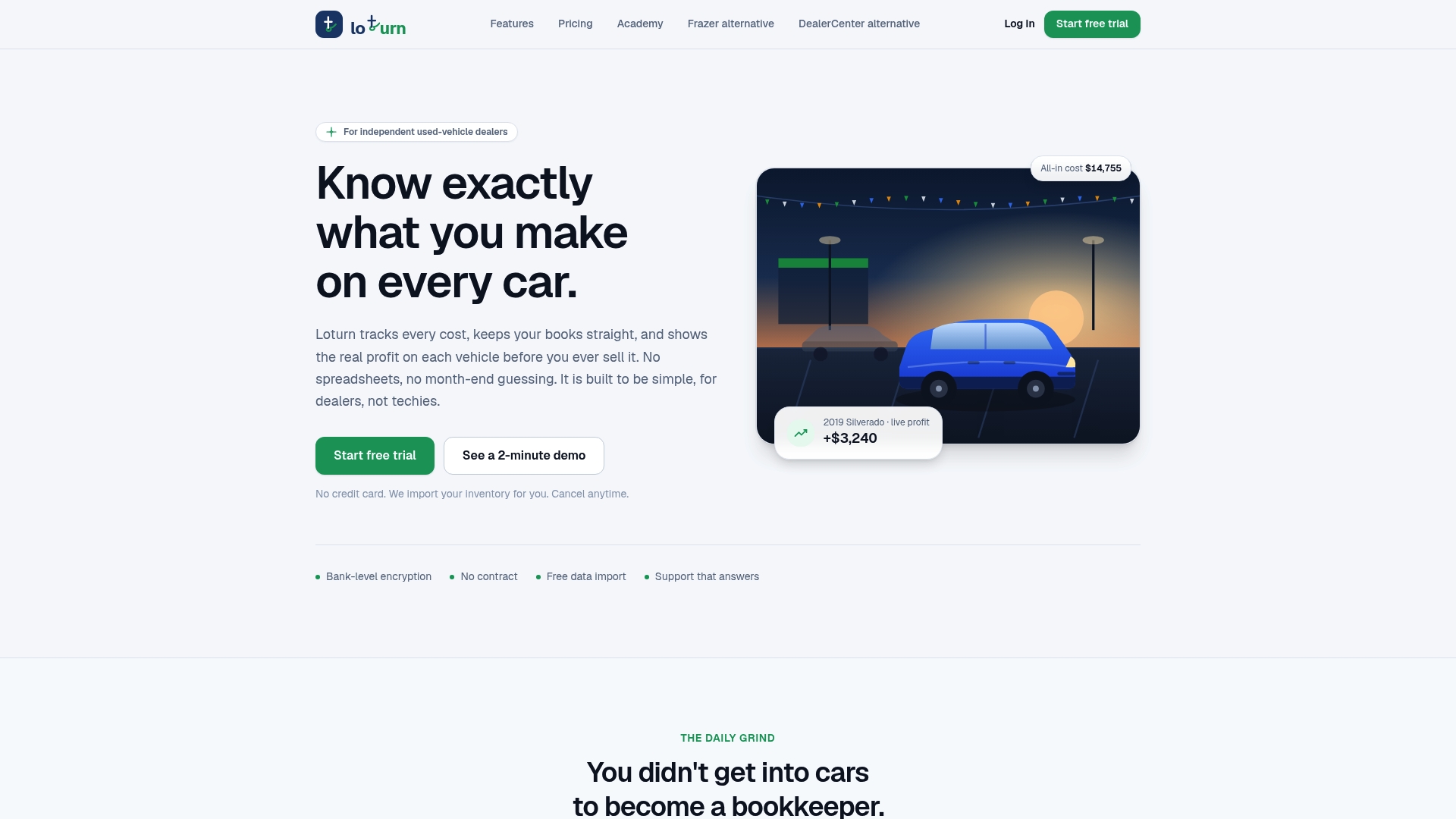
Loturn gives you per-VIN cost tracking that updates the moment a vehicle sells, so your inventory data feeding into Marketplace stays accurate instead of a week behind. You see true profit before the sale closes, not after your accountant reconciles it at month-end. Setup includes free data import from your current system with bank-level encryption, so switching over doesn’t mean re-entering your lot by hand. Check out Loturn’s dealer accounting tools and start a trial to see how clean per-car numbers translate into fewer listing errors and faster, more defensible pricing.
Where to Verify Policy and Feed Requirements
For anything policy-related, go straight to the source rather than a secondhand summary.
- Facebook’s Business Help Center for the current dealership listing flow and catalog requirements.
- DealerVLO’s compliance guide for a plain-language breakdown of post-2023 rules.
- Your prospective Inventory Partner’s own feed specification document, always request this before signing a contract.
Sources
- Create listings on dealership Pages
- Facebook Marketplace for Car Dealers: Setup & Compliance Guide — DealerVLO
- The Complete Guide to Facebook Marketplace for Car Dealers (2026) - Relay Autos
- How to Sell on Facebook Marketplace - NerdWallet
FAQ
Can Car Dealers Post on Facebook Marketplace?
Yes, but only through paid Automotive Inventory Ads or organic listings delivered via an approved Inventory Partner feed. Manual, individual posting at scale is restricted and risks account limits.
Can I Browse Facebook Marketplace Without Having an Account?
No, Facebook requires a login to view Marketplace listings, including vehicle inventory, since it’s built inside the main Facebook platform rather than as a standalone site.
Is It Better to Buy From a Dealership or Facebook Marketplace?
A dealership offers financing, warranties, and title verification handled for you, while Marketplace often has lower listed prices but puts more verification work on the buyer. Verified dealership listings with the Dealership tag combine both, dealer-backed transactions with Marketplace’s reach.
Is Facebook Marketplace Better Than Craigslist for Cars?
Marketplace generally draws more traffic because it’s built into an app most buyers already use daily, and its Dealership tag and feed system give dealers more structured tools than Craigslist offers. Craigslist still has a following in some regional markets, but for dealers running an Inventory Partner feed, Marketplace’s reach and lead volume tend to win out.